Bill the order, take PayNow, file your GST.
KaniPOS runs the counter for Singapore hawker stalls, cafés, restaurants and shops — on any tablet or phone, under your own kanipos.com address.
No sign-up needed for the demos. Prices in S$.
Everything Singapore asks of a receipt
Each line below comes straight off a KaniPOS bill or report. Set it up once in Settings and it prints the same way every time.
Tax invoices that IRAS expects
When you add your GST Reg No, every receipt is headed as a tax invoice with your registration number. Not registered yet? Leave it blank and GST stays off.
GST worked out to the cent
Prices stay GST-inclusive the way customers read them. The GST inside each total is shown on the bill and added up for you.
A GST F5 summary every quarter
Pick the quarter and copy boxes 1 to 8 into the myTax Portal, or download the CSV for your accountant.
PayNow on the bill and online
Enter your UEN or PayNow mobile once. The QR prints on receipts and shows at online checkout.
Customer details with consent
Phone and email are saved only after the customer agrees. Promotions need a separate yes, and you can delete a customer’s data any time.
Staff pay with CPF and SDL
Each staff member gets their own login. Salary records work out employee and employer CPF, SDL and take-home pay.
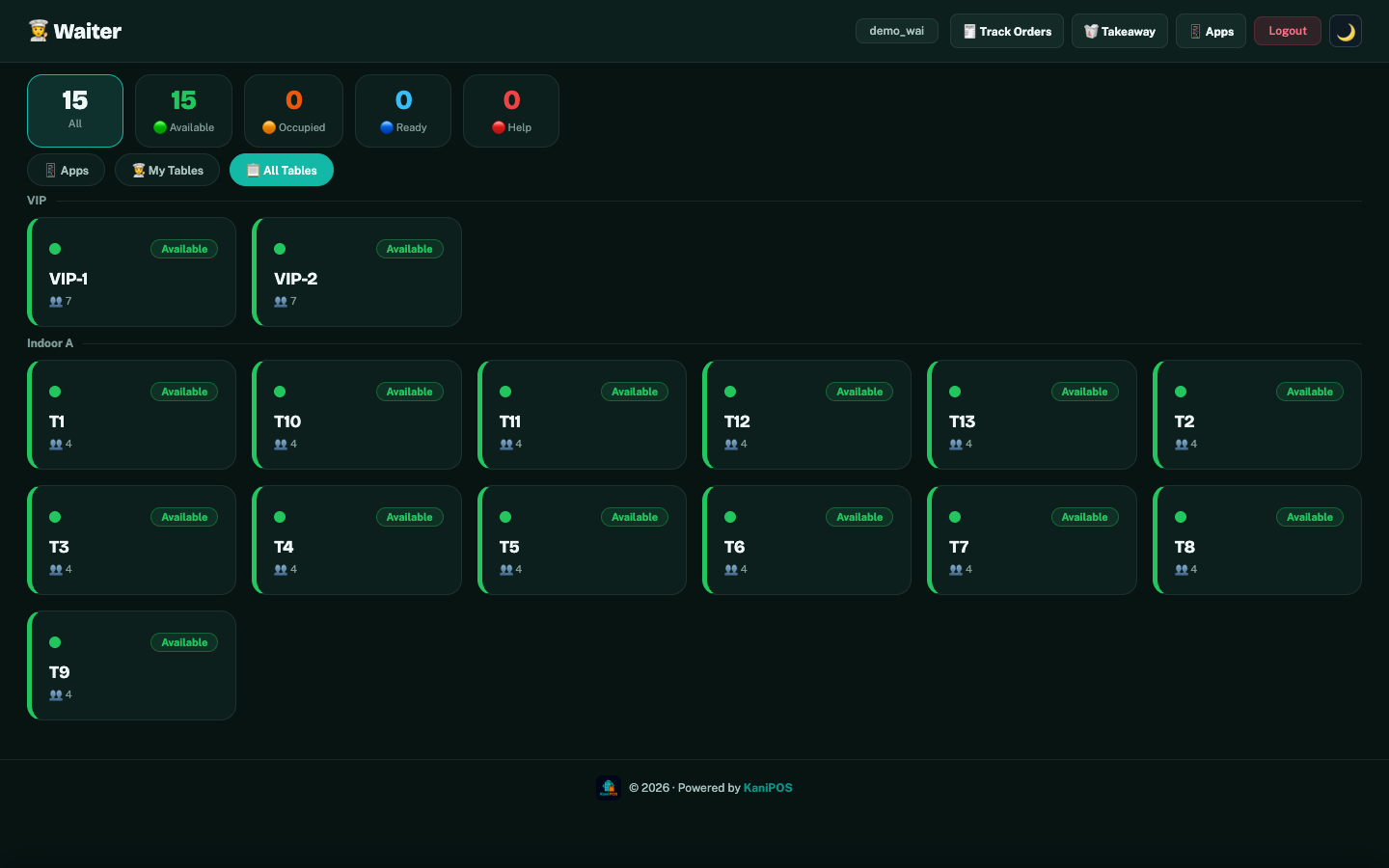
For restaurants and food stalls
- Waiters take orders on a phone at the table
- Orders appear on the kitchen screen right away
- Guests can order and pay from a QR code on the table
- The cashier closes the bill and prints the tax invoice
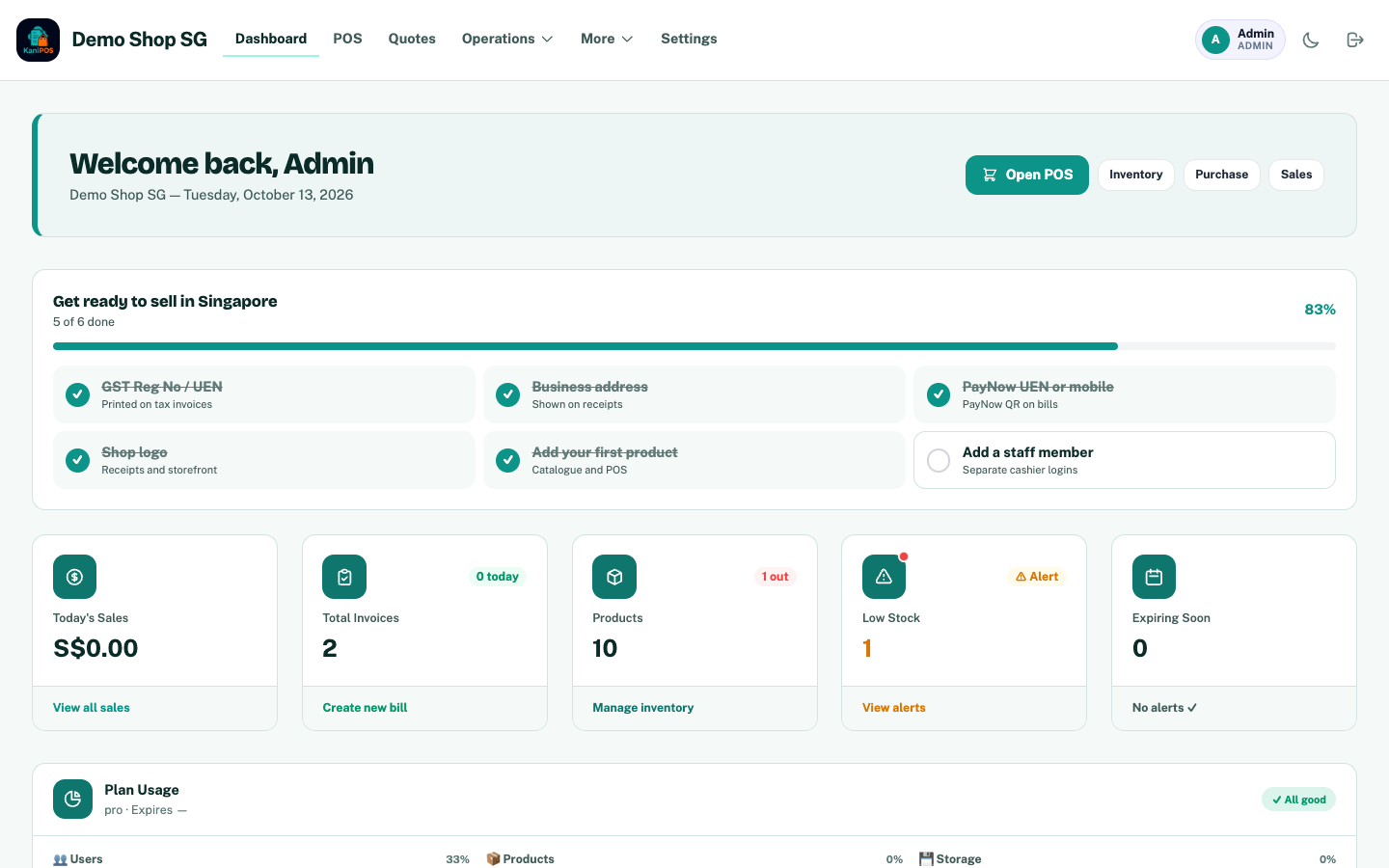
For shops and online stores
- Ring up sales at the counter with barcode search
- Keep stock, purchases and quotations in one place
- Sell online from your own store page with PayNow checkout
- See today’s sales and low stock when you open the app
Open for business in three steps
Try a demo
Ring up a few orders on the restaurant or shop demo.
Get your own address
We set up yourname.kanipos.com and load your menu or products.
Finish the checklist
Add your UEN, GST number and PayNow on the dashboard, then start selling.
Questions owners ask
Do I need to be GST-registered?
No. Leave the GST Reg No empty and receipts won’t show GST. Once you register, add the number and receipts become tax invoices.
What do I need to buy?
Nothing to start. It runs in the browser on a tablet, phone or computer. A receipt printer and cash drawer are optional.
How do customers pay with PayNow?
They scan the QR on the bill or at online checkout. You confirm the payment on the cashier screen.
How is customer data kept under PDPA?
Contact details are stored only with consent, promotions need a separate opt-in, and deleting a customer removes their details.
How much does it cost?
Monthly or yearly plans in S$, priced by the number of users. See the pricing page.
Ready to run your counter on KaniPOS?
Tell us about your business and we’ll set up your own address.